In this course, you will learn how to use the most common FortiGate features.
In interactive labs, you will explore firewall policies, user authentication, high availability, logging and monitoring, site-to-site IPsec VPN, FortiGate in Cloud, FortiSASE, and how to protect your network using security profiles such as IPS, antivirus, web filtering, application control, and more. These administration fundamentals provide a solid understanding of how to implement the most common FortiGate features.
After completing this course, you will be able to:
-
Configure FortiGate basic networking from factory default settings.
-
Configure and control administrator access to FortiGate.
-
Use the GUI and CLI for administration.
-
Control network access to configured networks using firewall policies.
-
Apply port forwarding, source NAT, and destination NAT.
-
Analyze a FortiGate route table.
-
Configure static routing.
-
Route packets using static routes for multi-path and load-balanced deployments.
-
Authenticate users using LDAP and RADIUS.
-
Monitor firewall users from the FortiGate GUI.
-
Offer Fortinet Single Sign-On (FSSO) access to network services, integrated with Microsoft Active Directory (AD).
-
Understand encryption functions and certificates.
-
Inspect SSL/TLS-secured traffic to prevent encryption used to bypass security policies.
-
Configure security profiles to neutralize threats and misuse, including viruses, torrents, and inappropriate websites.
-
Apply application control techniques to monitor and control network applications that might use standard or non-standard protocols and ports.
-
Offer an SSL VPN for secure access to your private network.
-
Establish an IPsec VPN tunnel between two FortiGate devices.
-
Configure SD-WAN and verify traffic distribution.
-
Identify the characteristics of the Fortinet Security Fabric.
-
Deploy FortiGate devices as an HA cluster for fault tolerance and high performance.
-
Diagnose and correct common problems.
Agenda
-
System and Network Settings.
-
Logging and Monitoring.
-
Firewall Policies and NAT.
-
Routing.
-
Firewall Authentication.
-
Fortinet Single Sign-On (FSSO).
-
Certificate Operations.
-
Antivirus.
-
Web Filtering.
-
Intrusion Prevention and Application Control.
-
IPsec VPN.
-
SD-WAN Configuration and Monitoring.
-
High Availability.
-
Diagnostics and Troubleshooting.
-
FortiGate in the Cloud.
-
FortiSASE
Networking and security professionals involved in the management, configuration, administration, and monitoring of FortiGate devices used to secure their organizations’ networks should attend this course.
You should have a thorough understanding of all the topics covered in the FortiGate Operator course before attending the FortiGate Administrator course.
Recommended Prerequisites
Participants with a min of Diploma from ITE or Polytechnic is recommended.
Participants must have a basic familiarity with networking concepts including routing, switching, and IP addressing.
Students also should be familiar with basic security concepts.
Experience with other security technologies (IPS, proxy, and content filtering) is a plus.
System Requirements
If you take the online format of this class, you must use a computer that has the following:
- A high-speed internet connection
- An up-to-date web browser
- A PDF viewer
- Speakers or headphones
- One of the following:
- HTML5 support
- An up-to-date Java Runtime Environment (JRE) with Java plugin enabled in your web browser
Certification Exam
This course prepares you for the Fortinet NSE 4 – FortiOS 7.6 Administrator exam exam. By passing this exam, you will earn the associated exam badge
| Exam name | Fortinet NSE 4 – FortiOS 7.6 Administrator exam |
| Exam series | NSE4_FGT_AD-7.6 |
| Duration | 90 minutes |
| Format | 50 multiple-choice and multiple-select questions |
| Topics covered | Successful candidates have applied knowledge and skills in areas such as system configuration, firewall policies and authentication, routing and SD-WAN, security profiles, VPN, HA, and troubleshooting |
Delivery Mode: Facilitated Classroom / Virtual Training
2026
Jan
12 – 16
Mar
16 – 20
May
11 – 15
(Virtual)
Jul
13 – 17
Sep
14 – 18
Nov
16 – 20
Students will be required to complete an assessment on the last day of class.
After completing the course, students can proceed to undertake the FCP FortiGate 7.6 Administrator Certificate examination.
Certification Obtained and Conferred by
- BridgingMinds Certificate of Attendance (upon achieving minimum 75% class attendance)
- WSQ Statement of Attainment (upon passing the relevant assessment)
- To download WSQ e-Certs, Learners can log in to MySkillsFuture portal via SingPass > go to Skills Passport > Certificates
Duration: 5 Days or 40.0 hr(s)
Course Fee & Exam Fee
| Course Fee w/o GST | $3,600.00 |
| Course Fee w. GST (9% effective 1st Jan 2024) | $3,924.00 |
| SME (Company Sponsored) – All Singaporean and Permanent Resident Employee | $1,404.00 |
| Singapore Citizens aged 40 years old and above | $1,404.00 |
| Singapore Citizens below 40 years old and Permanent Residents | $2,124.00 |
- Please contact us for more information @ 6635 5590
- NSE4 Exam Voucher is optional and can be purchase separately at $300 w/o GST
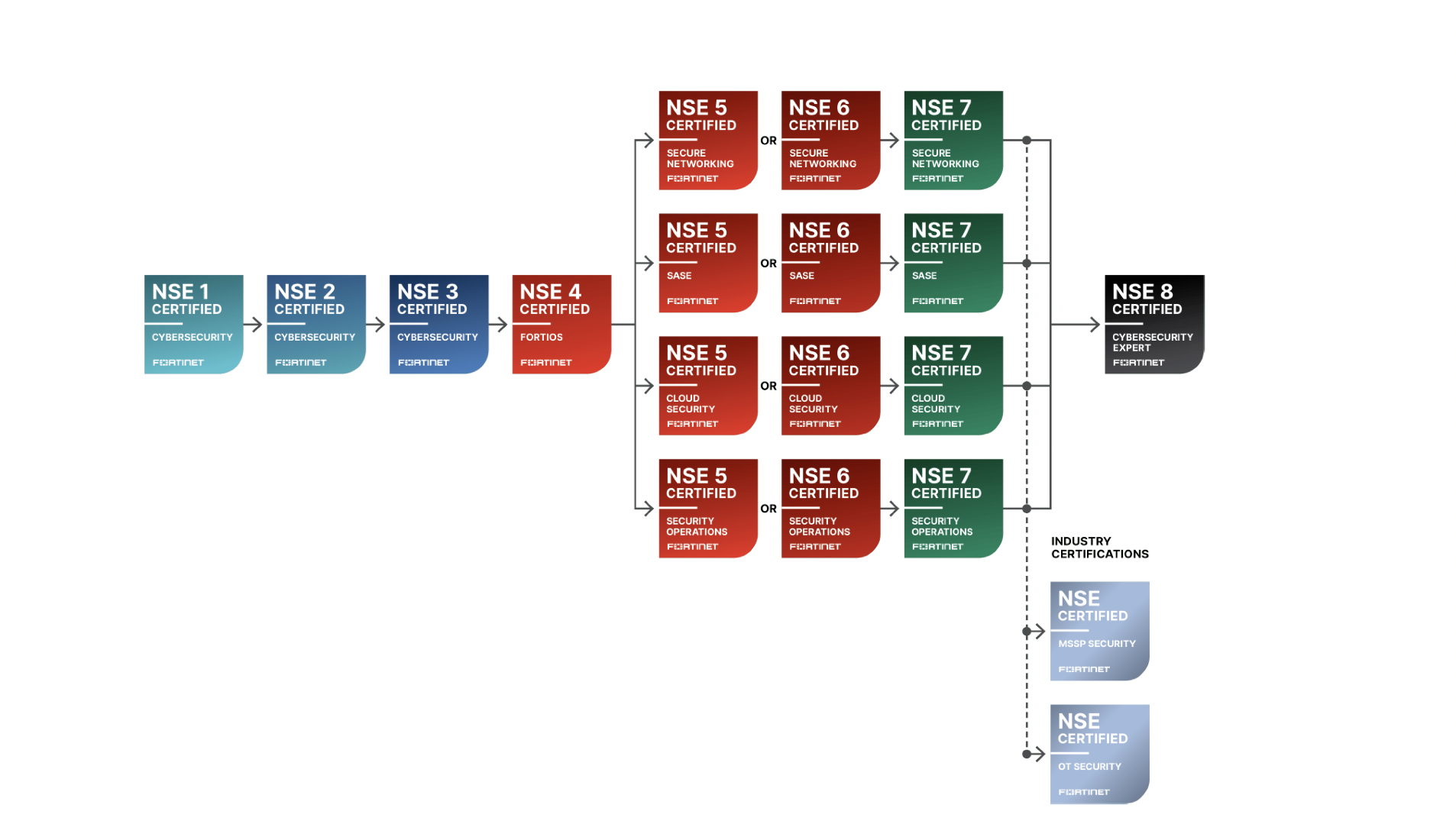
- NSE4 exams is a critical core / elective component of the Fortinet Certified Professional Track
- Other examinations are required to become a Certified Professional
Premier Authorised Training Centre

Certification Structure
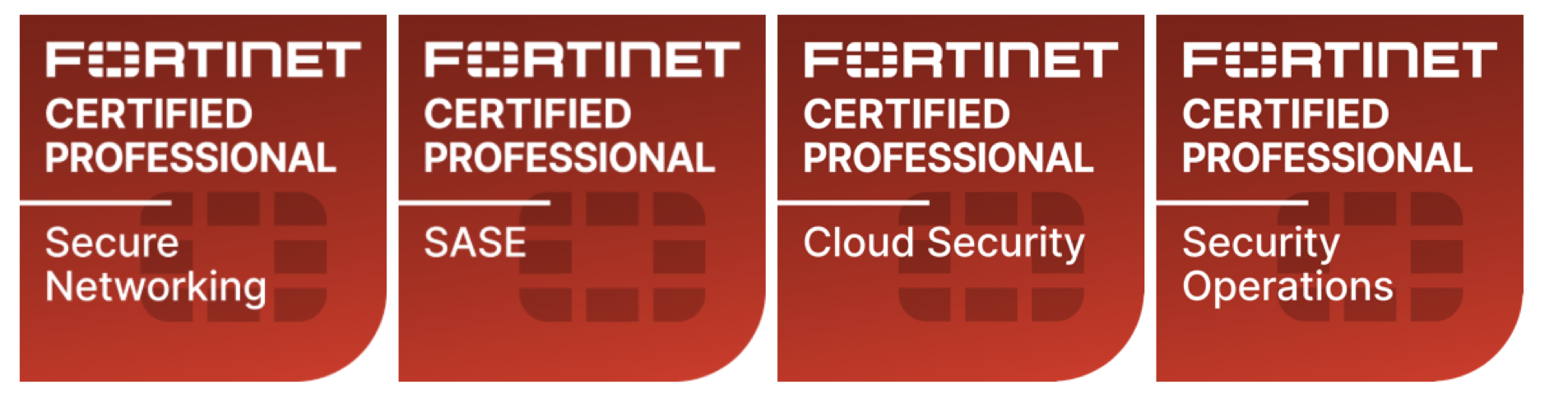
Certification Requirements for Fortinet Certified Professionals
Please refer here for the latest update: https://www.fortinet.com/nse-training-update
Fortinet Certification Structure as of 15th July 2026
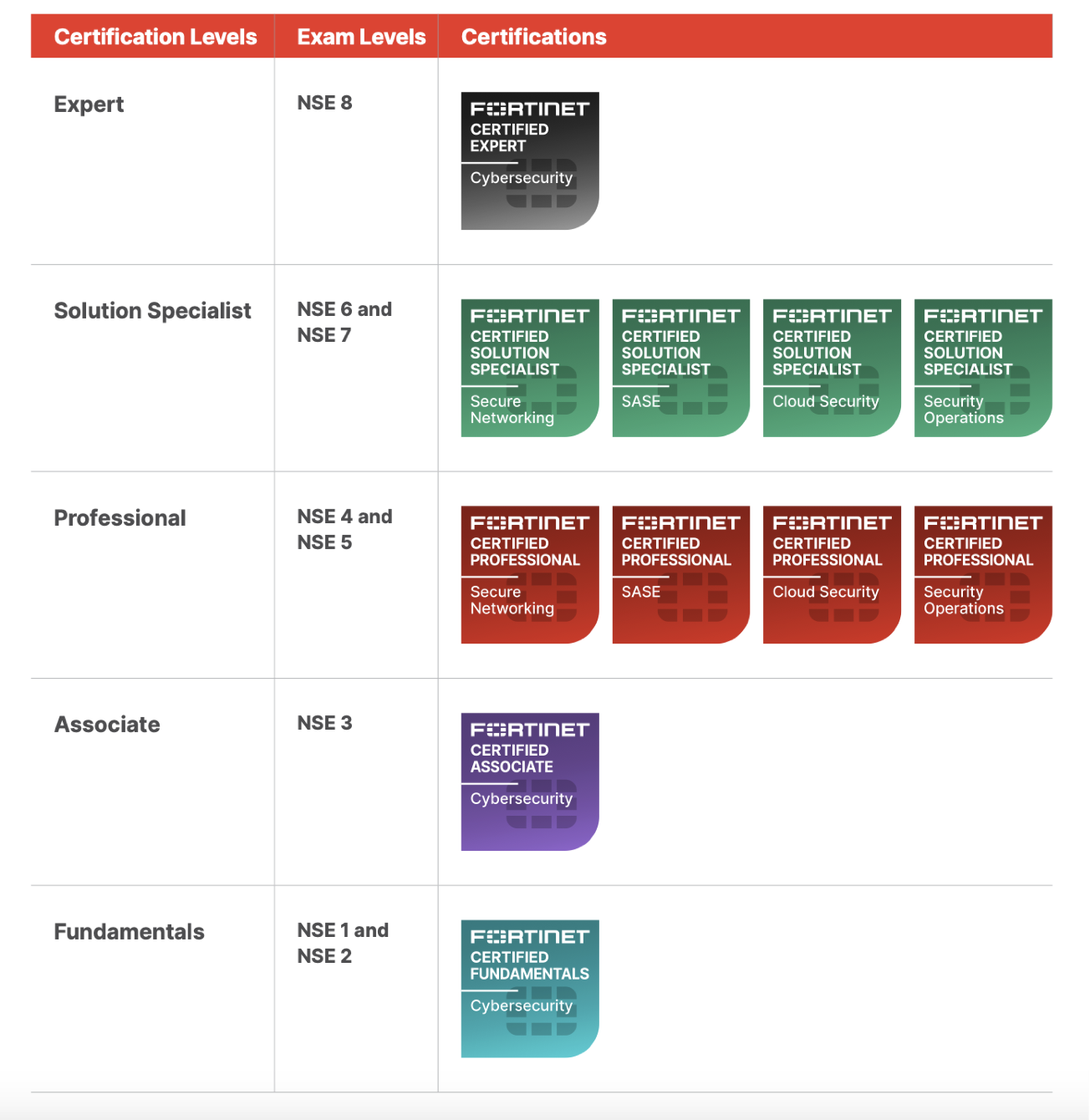
Key Updates